
- Chennai
- Tamil Nadu
- India
- World
- EntertainmentEntertainment
- Business
- Sports
- Lifestyle
- Technology
- Videos
- Explainers
- Editor's Picks

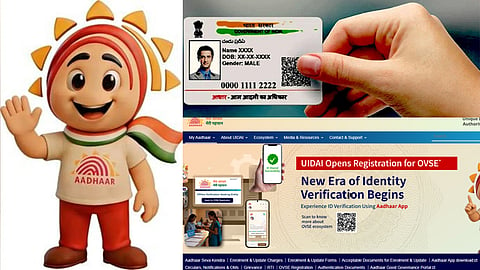
CHENNAI: Aadhaar, issued by the Unique Identification Authority of India, is a 12-digit unique identification number that serves as a key proof of identity and address for residents across India. With over 138 crore Aadhaar cards issued, it is the most widely used form of identification in the country. Wondering how to apply for one or update details on your existing card? Read our clear guide below.
Applying for a new Aadhaar card is free of cost, and you must visit an enrolment centre in person as biometrics are required.
1. Locate a Centre: Find the nearest Aadhaar Enrolment Centre or Aadhaar Seva Kendra via the "Bhuvan Aadhaar" portal on the UIDAI website. The applicant can avail a prior appointment which is recommended. However, many centres allow walk-ins as well
2. Fill the enrolment form (available online or at the centre)
3. Submit Documents: Provide original copies of Proof of Identity (PoI) and Proof of Address (PoA)
Examples: Passport, Voter ID, Driving License, Bank Passbook, Electricity Bill
In case the applicant is a child: Birth Certificate is mandatory for children born after October 1, 2023
4. Provide Biometrics: The staff at the centre will capture your photograph, 10 fingerprints, and both iris scans
5. Collect the acknowledgement slip containing your 14-digit Enrolment ID (EID) to track status
You are eligible to enrol for aadhar if you have resided in India for 182 days or more in the 12 months immediately preceding the application.
There are two ways to update, depending on the change required.
This is possible both through website and myAadhaar mobile application
Requirement: Registered mobile number (for OTP)
Steps: Login to myAadhaar portal – Select "Update Address" – Upload scanned copy of valid address proof (PoA) – Submit to get URN (Update Request Number).
Fee: A charge of Rs 75 is applicable for updating the registered mobile number through the app.
Note: Document upload for the process is mandatory and will be rejected if the address does not match the proof exactly.
Requirement: The myAadhaar mobile application and Aadhaar authentication.
Steps: Login to the myAadhaar app – Select the mobile number update service – Enter the new mobile number and complete the authentication process as instructed.
Fee: A charge of Rs 75 is applicable for updating the registered mobile number through the app.
Note: This service is available only through the myAadhaar app and not on the myAadhaar website.
A visit to a centre is mandatory for: Name change, gender change, date of birth (DoB) correction, linking or updating of mobile number, email update or biometric updates (photo, fingerprint, iris).
Visit any aadhaar seva kendra or enrolment centre
Fill the "Aadhaar Update Form" or "Correction Form"
Provide original supporting documents for the change requested
Your biometrics (fingerprints or iris) will be verified to confirm identity
A fee is applicable for the same (generally around Rs 50- Rs 100 depending on the update)
Collect Update Request Number (URN)
· Offline Updates: Up to 30 days (sometimes up to 90 days depending on verification) .
· Online Update: Generally faster (approximately around 7-10 days), though UIDAI standard timelines apply.
You do not need to file an FIR as Aadhaar is a digital identity and the physical card is just a printout.
1. Retrieve UID/EID Online (If mobile linked): Visit UIDAI website - "Retrieve Lost UID/EID" - Enter Full Name and Registered Mobile - Get number via SMS .
2. Retrieve Offline (If mobile number is not linked):
– Call toll-free helpline 1947 to assist in retrieving your EID based on demographics.
– Visit an enrollment centre, provide demographics and give biometric authentication. The operator will print your e-Aadhaar for a fee of Rs 30 .
3. Download e-Aadhaar: Once you know your UID, download the password-protected PDF from UIDAI. This is legally valid.
4. Order PVC Card (optional): You can order a physical reprint via the "Order Aadhaar PVC Card" service on myAadhaar. A revised fee of Rs 75 has come into effect from January 1, 2026.
Process of application for Resident Foreign Nationals (RFNs):
If you are a foreign national residing in India, you are eligible for an Aadhaar. You must have resided in India for 182 days or more in the last 12 months. A valid foreign passport and valid Indian Visa or OCI card are mandatory .
Process for NRI Enrolment: A valid Indian Passport is mandatory as Proof of Identity (PoI). There is no minimum residency requirement for NRIs applying for Aadhaar .
Processing Time for adults and children: While for adults, Aadhaar generation may take up to 180 days if demographic or biometric verification is required, Aadhar is generated within 30 days for children.